
Smart Home Security: A Complete Guide for Beginners with Essential Home Security Tips
When it comes to protecting your property, smart home security offers a powerful way to keep your space safe and sound. You might feel overwhelmed by the options and technology, but I’m here to break it down for you. This guide will walk you through everything you need to know to get started with smart home security. You’ll learn practical tips, key devices, and how to set up a system that fits your needs.
Why Smart Home Security Tips Matter
Security is more than just locking doors. Smart home security systems give you control and peace of mind. You can monitor your home remotely, get alerts instantly, and even deter intruders with automated features. These systems are designed to be user-friendly and adaptable, whether you live in a small house or manage a large business.
Here are some reasons why smart home security tips are essential:
Real-time monitoring: Keep an eye on your property from anywhere.
Instant alerts: Receive notifications about unusual activity.
Automation: Schedule lights, locks, and cameras to work together.
Integration: Connect with other smart devices for a seamless experience.
Cost-effective: Prevent losses and reduce insurance premiums.
By following these tips, you’ll make the most of your investment and create a safer environment.
Choosing the Right Smart Home Security Devices
Picking the right devices is the foundation of a strong security system. Here’s a quick rundown of the most common smart home security components and what they do:
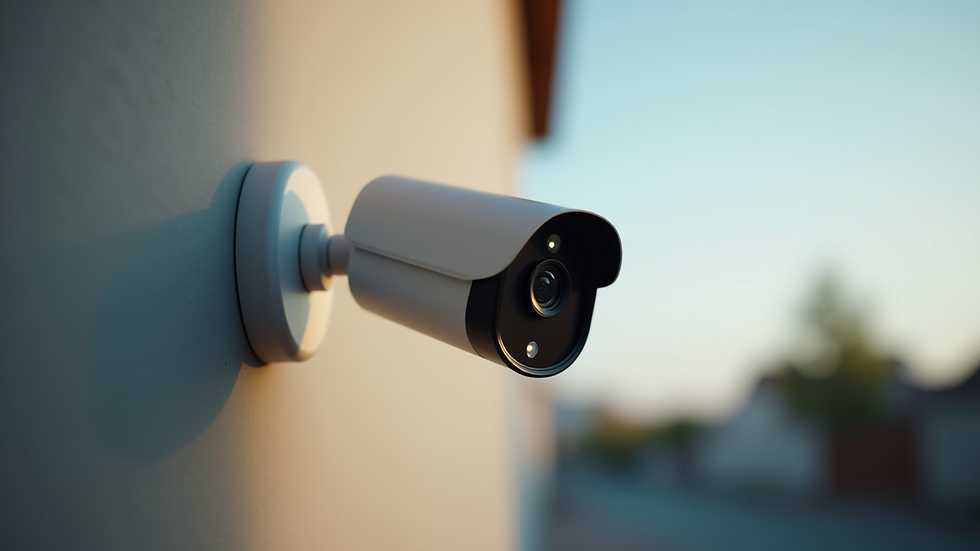
Smart Cameras
These cameras let you watch live video feeds and record footage. Look for features like night vision, motion detection, and two-way audio. Place cameras at entry points and vulnerable areas.
Smart Locks
Replace traditional locks with smart locks that you can control remotely. They allow keyless entry and can send alerts when someone locks or unlocks the door.
Motion Sensors
These sensors detect movement and trigger alarms or notifications. They work well in hallways, near windows, and other sensitive spots.
Door and Window Sensors
These sensors alert you if a door or window is opened unexpectedly. They are easy to install and provide an extra layer of protection.
Security Hubs
A hub connects all your devices and lets you control them from one app. Choose a hub compatible with your devices and easy to use.
Smart Alarms and Sirens
Loud alarms can scare off intruders and alert neighbors. Some systems allow you to trigger alarms remotely.
When selecting devices, consider your property size, budget, and specific security needs. Start small and expand your system over time.
Setting Up Your Smart Home Security System
Installation and setup don’t have to be complicated. Most smart home security devices come with clear instructions and apps that guide you through the process. Here’s a step-by-step approach:
Plan your system layout: Identify key entry points and vulnerable areas.
Install devices: Follow manufacturer instructions for cameras, sensors, and locks.
Connect to your hub: Link all devices to your central hub or app.
Configure alerts: Set up notifications for motion, door openings, or alarms.
Test your system: Make sure everything works as expected.
Create user profiles: Give family members or trusted people access with different permissions.
Regularly update your devices’ firmware to keep security tight. Also, change passwords periodically and use strong, unique passwords for your accounts.
Enhancing Security with Smart Home Automation
Automation takes your security to the next level. You can program your system to react automatically to certain events. Here are some ideas:
Lighting control: Turn lights on and off to simulate occupancy when you’re away.
Lock schedules: Automatically lock doors at night or when you leave.
Camera activation: Set cameras to record only when motion is detected.
Integration with voice assistants: Use Alexa, Google Assistant, or Siri to control your system hands-free.
Automation not only improves security but also adds convenience. You’ll feel more in control and less worried about what’s happening at home.

Maintaining and Upgrading Your Security System
A smart home security system is not a set-it-and-forget-it solution. You need to maintain and upgrade it regularly to stay protected. Here’s what you should do:
Check device batteries: Replace batteries in sensors and locks as needed.
Clean cameras and sensors: Keep lenses and sensors free from dust and debris.
Review alert settings: Adjust notifications based on your lifestyle changes.
Update software: Install updates to fix bugs and improve security.
Expand your system: Add new devices as your needs grow or technology advances.
Stay informed about new security trends and products. RSS Security offers reliable and cutting-edge systems that can help you upgrade your setup with confidence.
Taking the Next Step in Smart Home Security
Now that you understand the basics, it’s time to take action. Start by assessing your property’s vulnerabilities and choosing the right devices. Use this smart home security guide to explore options and find solutions tailored to your needs.
Remember, a well-planned smart home security system protects your property and gives you peace of mind. With the right tools and knowledge, you can create a safer environment for your home or business.
Stay proactive, stay secure, and enjoy the benefits of modern technology working for you.


The guide makes smart home setup feel manageable, especially the focus on starting with core devices like cameras and locks before automation. Geeks on Site (US-based service) is helpful when installation or syncing devices becomes difficult and everything needs proper configuration to work together.